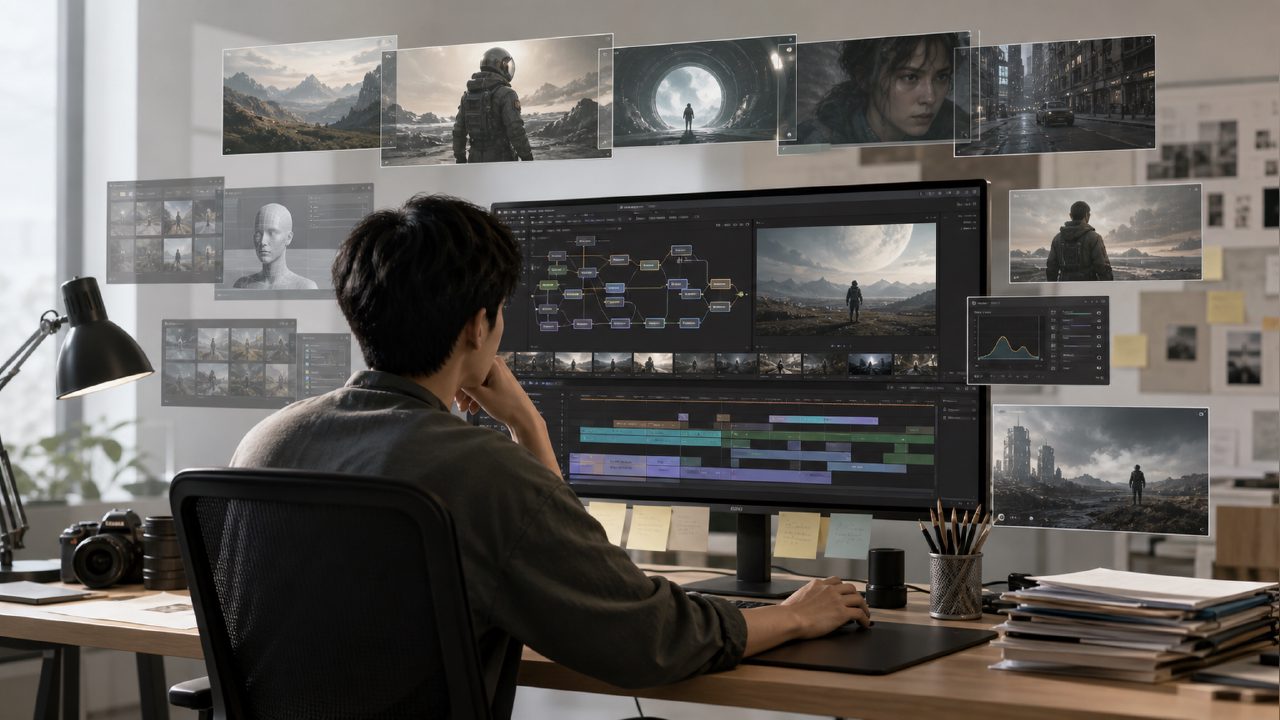
To be honest, I was a bit wary of the term "AI filmmaker" at first. Over the past year, many tools have claimed to be "AI filmmakers," but most only let you enter a sentence, wait a minute, and then produce a ten-second clip with illogical plots and deformed characters—far from "making a movie." So when I saw GetSora2 positioning itself this way, my first reaction wasn't excitement, but a desire to test it out and see if it truly offered substantial progress over previous AI video tools, or if it was just another case of conceptual packaging.
First Impressions: A Much Heavier Workflow Than Expected
The moment I opened GetSora2's editing interface, something felt off—there was no clean, minimalist single-line input box. It felt more like a lightweight non-linear editing system: timeline, multi-track, media library, keyframe controls—a surprisingly high density of features. My first attempt was to generate a city night scene using the Sora engine, then directly add a second layer of AI-generated particle effects, and overlay text animation. The whole process took about ten minutes, but the result was controllable—I could edit each layer independently, unlike other tools where one unsatisfactory generation means starting over from scratch.
The advantage of this workflow is clear: it doesn't demand a perfect final product, but allows you to assemble pieces. The downside is also real—if you just want to "quickly make a cool video for your social media," this learning curve might drive you away. It's more suited for someone who has already spent time in editing software.
Real-World Performance in Specific Scenarios
I ran three tests, corresponding to three use cases I imagined:
First, product demonstration. I started with a photo of a coffee machine and used the AI filmmaker to generate a dynamic product video showing rotation, disassembly, and reassembly. The results were decent: the metallic surface reflection was better than I expected, with no common light flicker, but some internal details of the coffee machine were clearly "guessed" by the AI—for example, certain gears had dimensions and positions that defied physical plausibility. For rigorous industrial demonstrations, manual inspection would be needed.
Second, a short story clip. I tried simulating a simple scene: a character pushes open a door and sees rain outside. In the clip generated by Sora, the character's continuous movement from far to near was basically smooth, and the facial expressions didn't break—this surprised me. But the interaction between raindrops and the glass was poor; the window almost seemed nonexistent, with raindrops passing directly through the character. Physics remains a weak point.
Third, text and motion graphics packaging. This purely visual packaging turned out best, as it demands less adherence to physical laws. The AI filmmaker's animation curve adjustment is very flexible—I could slide text from slow to fast, paired with AI-generated dynamic backgrounds, and the final output quality approached professional-level title sequences.
It's Good, But What Are the Trade-offs?
After three days of playing around, I have a sober assessment: AI filmmaker is currently one of the AI video tools I've seen that "comes closest to a real editing workflow." But that statement is not an unconditional endorsement.
First is speed. Due to its hybrid architecture of multi-layer generation and local rendering, you can't get results with a single click. A twenty-second clip with two layers of AI effects, from parameter adjustment to final output, took me nearly twelve minutes. For creators used to "anytime changes, anytime previews," this pace requires adjustment.
Second is character consistency. The Sora engine I tested did manage to keep the character's face stable from point A to B, but if the cuts were too fragmented or the angle changed too drastically, some frames still showed "face-swapping"—the character's expression briefly turned into another face. If you're working on continuous dramatic content, this remains an issue requiring post-production fixes.
Finally, export options. It offers 4K output, which is a plus, but the export formats are limited to MP4 and ProRes, with no frame sequence or alpha channel options. If you need to go into DaVinci for color grading and compositing later, there's an extra step.
Who Should Use It, and Who Should Hold Off for Now?
Based on my actual experience, my advice comes with clear caveats:
If you're working on independent short film creative experiments, social media brand packaging, or quickly producing concept visualization drafts, AI filmmaker is worth serious consideration. It finds a viable middle ground between AI generation and manual fine-tuning, without forcing you to choose one or the other.
But if you're a commercial team needing batch production and sensitive to delivery speed, or if your project requires strict motion physics consistency (e.g., live-action interaction, precise prop collisions), then current AI filmmaker isn't "professional" enough—at least not without enough hassle. You'll still need extensive manual checks and fixes, and the time cost for these may not be less than traditional methods.
In short, it's one of the most "serious" AI video tools I've used this year, but because of that seriousness, it has carved out a user base that isn't very forgiving. The real value of AI filmmaker might not be to replace editors, but to provide an additional outlet for those who already have editing skills to open up new creative possibilities. As for whether the future evolution of Sora's capabilities can broaden this circle—I think we can wait and see.
Comments
Leave a Comment